
A calmer minute, right when you need it.
Piu (say it like pew) helps you breathe through anxiety, a sleepless night or a big moment. Pick one, tap once, and follow the circle.


Free to download.
No account needed.
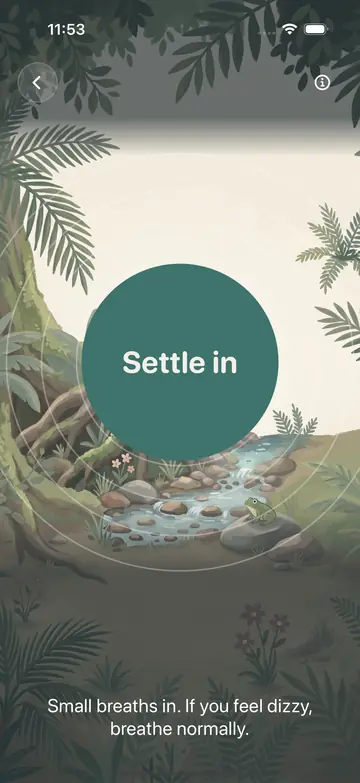

Anxious now: two short breaths in, one long breath out.
Pick what you need
Short sessions for real situations, each with its own breathing pattern.
Anxious now
One tap and it starts. It meets a racing breath where it is, then eases to a slow pace.
Two short breaths in, one long breath out.
Before a presentation
Four equal counts give a busy mind one thing to follow.
Box breathing: in 4, hold 4, out 4, hold 4.
3am wakeup
Starts right away, and stays dark and quiet at night.
4-7-8: in 4, hold 7, out 8.
Can't sleepPiu Plus
A slow wind-down for bedtime. Shorter holds are an option if the long hold feels hard.
4-7-8: in 4, hold 7, out 8.
Focus resetPiu Plus
A smooth reset between tasks, with no holds.
Even breathing: 5 in, 5 out.
Just breathe
The easy place to start. Even breathing with no holds.
Even breathing: 5 in, 5 out.
Sleep sounds
Rain, water and night sounds that fade out softly over the last three minutes.
15 minutes free. Longer timers are part of Piu Plus.
How a session works
- 1
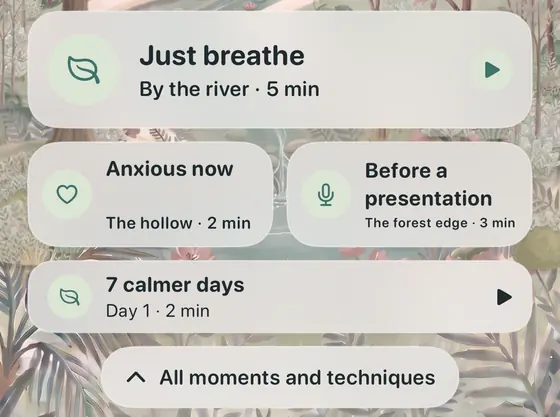
Pick a moment
Choose what fits, or tap Anxious now to start right away. Prefer to choose? Techniques lets you pick the rhythm and a length of 1, 3, 5 or 10 minutes.
- 2
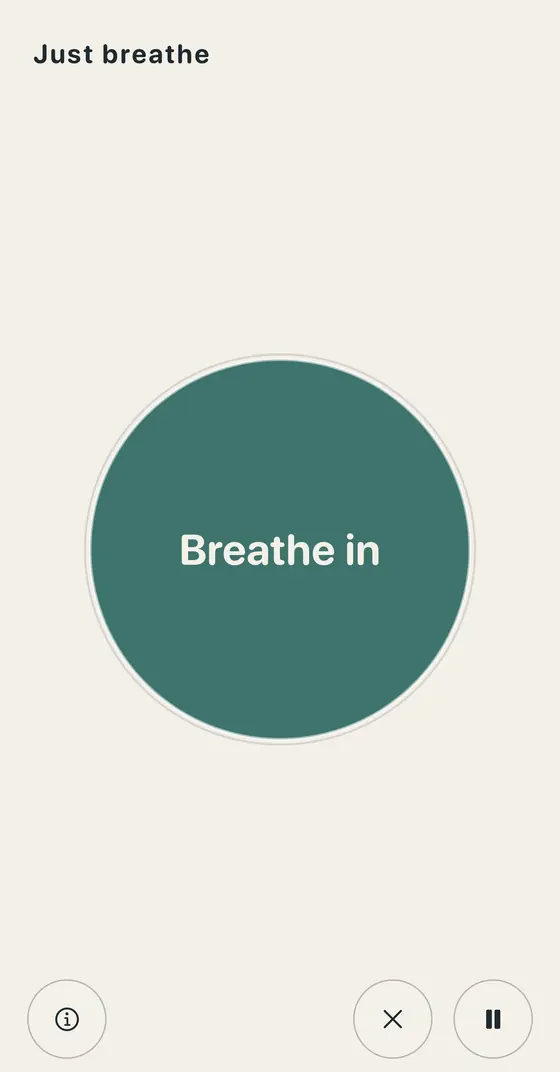
Follow the circle
The circle grows as you breathe in and settles as you breathe out. Optional sound cues and haptics keep time, and you can pause or end at any moment.
- 3
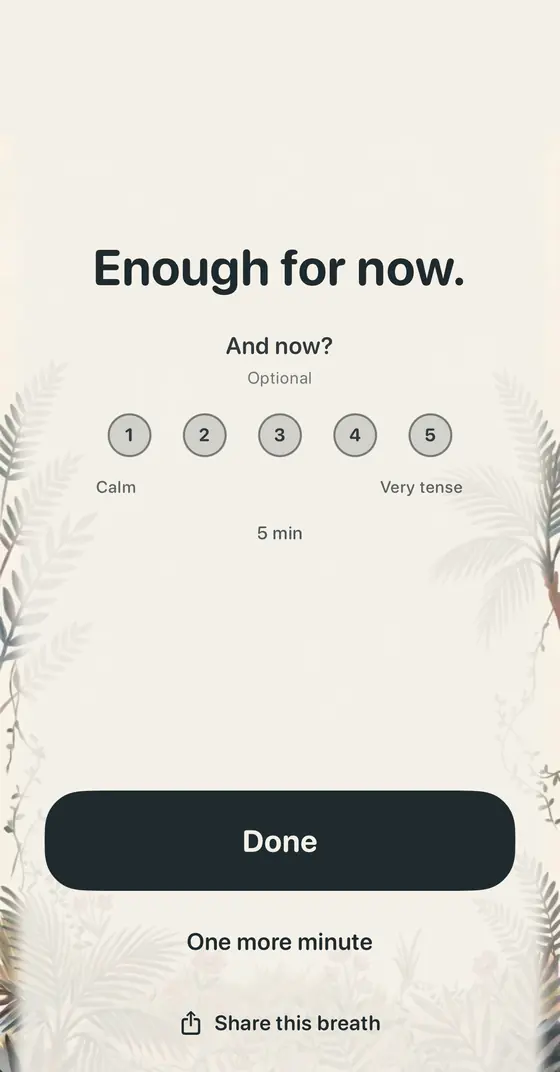
Done, saved
Finish with Done, or take one more minute. You can note how you feel, and the session is saved to your History.
One short session a day
If you would like a routine, programs give you one small step each day. Skip a day and pick up where you left off.
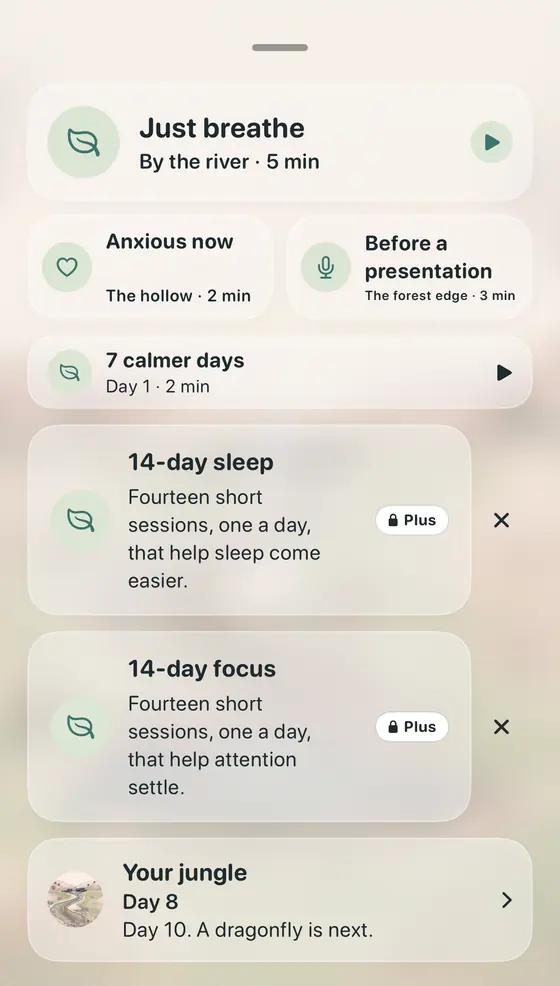
- 7 calmer days. From 2 minutes on day 1 to 5 minutes on day 7, mixing even breathing, box breathing and the long breath out.
- 14-day sleep. Fourteen short sessions that help sleep come easier. Part of Piu Plus.
- 14-day focus. Fourteen short sessions that help attention settle. Part of Piu Plus.
Everywhere you are
Start a breath from wherever is closest.

Apple Watch
Pick a moment on your wrist. Haptic taps mark each breath in and out, and the session keeps going with your wrist down. Watch face complications start a breath in one tap.
Widgets and Lock Screen
One tap into a breath from your Home Screen or Lock Screen. The widget shows your days this week. There is a Control Center button too.
Mac
A Dock and menu bar app with your favorite moments, your history and settings. Your practice syncs with your iPhone through iCloud.
Siri and Shortcuts
Say “Piu, I’m anxious” or “Piu, I can’t sleep”. In Shortcuts you can add a short pause before you open a distracting app.
Gentle reminders
Pick a routine: after waking, on the way to work, after lunch or before bed. At most one a day, and none on a day you already breathed.
History
See your sessions and minutes. With Piu Plus, and only if you turn it on, Piu can add Mindful Minutes to Apple Health.
A jungle that grows as you practise
Every day you breathe, a little more jungle appears in the app, with sprouts, a frog, a first big tree and more. Nothing to manage, it is just something nice to come back to.

Day 1 
Day 3 
Day 7 
Day 14 
Day 30 
Day 60

Piu is your guide
She is a fernbird with a fern-like tail. She keeps her words short.
- Today is open. One minute counts.
- Seven days, seven breaths. That is a habit.
Private by design. No account, no ads and no tracking. Your practice stays on your devices and in your private iCloud.
Read the privacy policyQuestions, answered
What is Piu?
Piu is guided breathing for iPhone, Apple Watch and Mac. You pick a moment, like Anxious now, 3am wakeup or Before a presentation, tap once, and follow a short breathing session with a soft circle and gentle cues. A small bird named Piu keeps you company.
How long are the sessions?
Short. Anxious now is 2 minutes, 3am wakeup and Before a presentation are 3 minutes, and Just breathe, Can't sleep and Focus reset are 5. In Techniques you can pick your own rhythm and a length of 1, 3, 5 or 10 minutes.
Does Piu work offline?
Yes. Piu does not need an internet connection to run a session. iCloud sync of your history happens whenever your device is online.
Does it work on Apple Watch?
Yes. Pick a moment on your wrist and follow haptic taps for breathing in and out, so you can close your eyes. The session keeps going with your wrist down, and the screen dims after ten seconds while the cues continue.
Is Piu free to download?
Yes, and there is no account. Free includes Anxious now, 3am wakeup, Before a presentation, Just breathe, the 7 calmer days program and sleep sounds with a 15 minute timer. Piu Plus is an optional purchase that adds more moments, programs and longer sleep timers.
How is Piu different from a meditation app?
Piu is built for the moment you are in. You choose a situation, tap once, and follow a short breathing pattern for a few minutes. There are no long courses to work through, and it is not meant to replace meditation. It is a quick way to breathe your way through a hard moment.
How do you say Piu?
Say it like pew. Some people type it as pew, piyu or hey piu, and that is fine. It is the same little bird.
Where does my data go?
Your practice history stays on your device. If you use iCloud, it syncs between your own devices through your private iCloud. Piu has no ads, no tracking and no third-party analytics. Read the full privacy policy for details.
Is Piu medical advice?
No. Piu is for everyday calm. It is not a medical device and does not diagnose, treat or cure anything. If you are worried about your health, please talk to a doctor.
Is Piu on Android?
Not yet. Piu is made for iPhone, Apple Watch and Mac.
Is Piu the same app as Prana?
Yes. Piu (was Prana) is the same app with a new name and a new guide. If you used it before, just open it as usual.

Take your first calm minute.
Download Piu and tap Anxious now, or pick whatever you need.